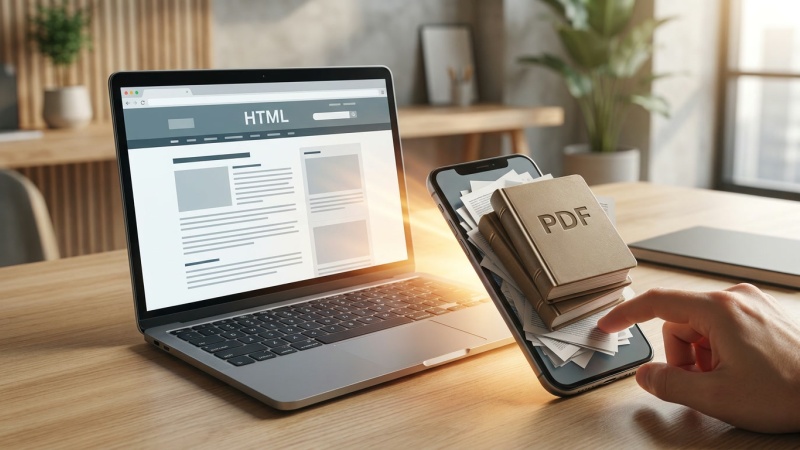
Someone visits your website to check a price, understand a service or find out what to bring to an appointment. The answer is there, but only inside a downloadable brochure. On a phone, they open the file, zoom in and scroll through pages looking for a few lines of information.
It might be a beautifully designed document. That does not necessarily make it a good way to answer a simple question. Before uploading another PDF, it is worth asking what the visitor is actually trying to do.
Why the format changes the experience
A normal webpage can adapt its layout to the size of a screen. Its headings and navigation can help people move quickly to the right section. A PDF is usually designed around fixed pages, which can mean awkward zooming, sideways scrolling or losing your place on smaller devices.
Accessibility matters too. A well-made PDF can include tagged headings, a sensible reading order and descriptions of meaningful images. But those features are not guaranteed, particularly in documents exported without accessibility checks or assembled from scanned pages. Some people also need to adjust text size, colours or reading settings, which can be harder with a fixed-format document.
The Government Digital Service's guidance on accessible documents recommends publishing information in HTML, the format used for webpages, wherever possible. The Office for National Statistics similarly favours HTML over PDF-only content. Those are public-sector publishing policies, not a blanket rule that every private company must replace every PDF. They do, however, highlight real usability problems worth considering on any website.
There is a search misconception worth clearing up: PDFs are not automatically invisible to Google. Google lists PDF among the file types it can index. The difficulty is the journey after somebody finds the file. A visitor arriving directly from search may see the document without the surrounding website navigation, related services or next step.
When a PDF earns its place
Downloads are useful when people genuinely need a document to keep, print, share or consult offline. A detailed technical specification, a designed event programme or an archived report may work well as a PDF. A fixed record of what was published at a particular date can also serve a different purpose from a webpage that is continually updated.
But consider a service price list. Customers checking one charge probably need a clear webpage first. A printable version can still be offered for people who want it. Similarly, a lengthy annual report could have an accessible webpage explaining its principal findings, with the full document available to download.
There is no requirement to duplicate every page of every specialist document. The better question is whether someone must download a file to complete a common task or understand information needed before contacting, booking or buying. If the answer is yes, the website may be adding work where it could remove it.
Two formats can create two versions of the truth
Publishing the same information as a webpage and a PDF sounds simple until something changes. Perhaps service charges are updated on the website but the brochure retains last year's figures. Or an out-of-date PDF remains accessible through an email link after the website has been corrected.
For frequently changing information, choose a clearly maintained source of truth. Where both formats are needed, establish who updates them, how changes are approved and how the versions are checked together. Some content management systems (CMSs) can generate a downloadable document from the same structured content; where that is not practical, a documented publishing check may be enough.
Give downloads descriptive names and clear labels so visitors know what they are opening. Include a date or version where it helps distinguish a current guide from a historical record. If a PDF has been superseded, make that status obvious, especially when the file can be reached directly without visiting its parent webpage.
How to improve an existing collection of PDFs
You do not need to convert every document at once. Begin with the documents that people depend on, and make decisions based on their purpose rather than their age. A manageable review might look like this:
- Find the important downloads. Identify PDFs linked from service pages, forms, customer emails and popular website journeys. Check which documents answer common questions or contain time-sensitive information.
- Try the task on a phone. Can someone find the relevant answer quickly, enlarge the text comfortably and return to the website? Consider keyboard and screen-reader use, and involve actual users where practical.
- Put essential answers on webpages. Use meaningful headings, plain language and links to related information. A copied block of PDF text is not enough if it remains difficult to read or navigate.
- Keep purposeful downloads accessible. If the PDF is still needed, check its text, document structure, reading order, images and contrast. The ONS guide to accessible PDF design offers practical starting points.
- Assign responsibility for both versions. Decide who maintains the information and checks its accuracy, links and published status when a change is made.
Roled's guide to reviewing old website content can help with the wider decision about what to retain, update or retire. The format question adds another test: even if the information is accurate, is it available in a form that suits the reader?
Make the answer easier to reach
The next time somebody asks for a PDF to be added to the website, ask what they expect visitors to do with it. If they need a printable record, a download may be exactly right. If they need to find a price, follow instructions or decide whether a service is suitable, a webpage may serve them better.
Start with one frequently used document. Put its most useful information where customers can read it without opening a file, and keep the download if it still has a purpose. That is a practical improvement you can make without redesigning the whole website.